Free
$0 / month
Keep your first conversations together.
- 5 captures per month, up to 30 minutes each
- Transcripts, summaries and action items
- 1 GB of private storage
No card required.
 Captureby Streamline You
Opening your workspace…
Capture by Streamline You
Record meetings, voice notes and ideas. Find every transcript, summary and next step in one private library.
Use Capture on the web. Try the iPhone beta.

For people who value their time
“Didn’t we talk about this three months ago?”
A decision gets forgotten. An idea never gets written down. A team has the same conversation again. The meeting ends, but the time you lose keeps adding up.
Capture gives your conversations somewhere to live. Return to the transcript, find the timestamp and review the words behind the next step. Spend less time repeating yourself and more time moving forward.
See how a conversation becomes a clear next stepBeyond the meeting link
A dedicated place for conversations away from your laptop. Pair the optional recorder with Capture on iPhone, then bring saved recordings into the same library as your meetings.
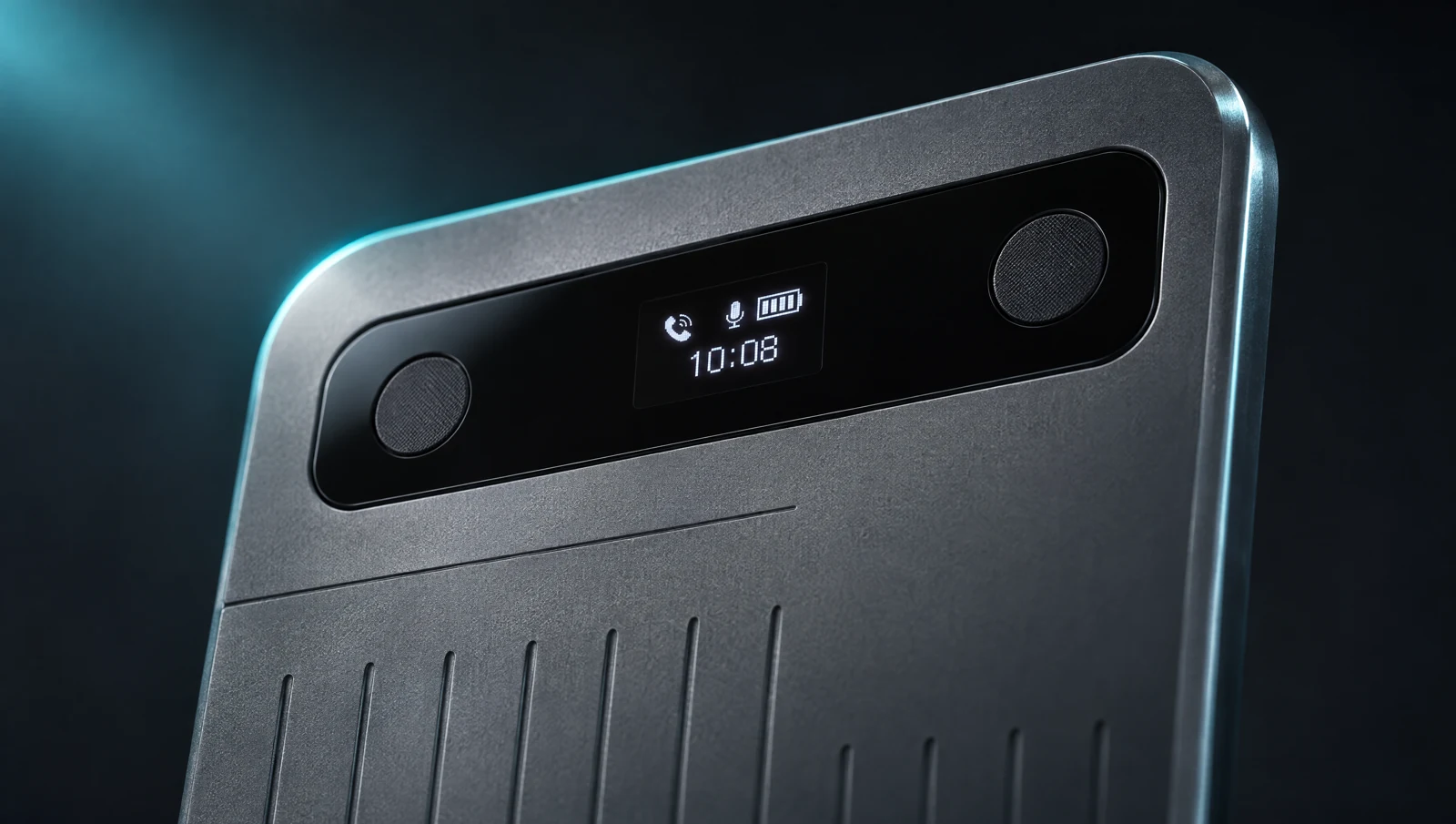
Record on Capture Recorder, then connect it to the Capture iPhone app and tap Capture New Recordings. New recordings are saved to your private library and prepared for review. The iPhone app is available in our friends & family beta.
Simple setup
Connect Google Calendar or Outlook Calendar for meeting discovery. Capture uses supported meeting links to request entry. Meeting admission and recording controls still apply.
Connect Google Calendar to discover scheduled meeting links. You control which meetings Capture requests to join.
The conversation is only the beginning
Move between the summary, transcript and proposed action items. The supporting moment keeps every next step connected to what was actually said.


“Let’s send the launch checklist on Friday.”
12:42Summary, transcript and action items, together.
The team reviewed the website launch and agreed to finish the checklist before the handoff.
Keep the first release focused on the core experience.
Alex · 12:42
Let’s send the launch checklist on Friday.
Maya · 12:49
I’ll prepare the draft for our review.
Supporting words and a timestamp keep the next step connected to the conversation.
Keep using the tools you love
Connect Capture with Claude, ChatGPT or Grok to work with your transcripts and notes. Access stays tied to your Capture account.
 Claude
 ChatGPT
 Grok
Ask questions about your meetings, decisions and action items.
The useful answer starts with the actual conversation.
Connect your own Capture account.
Built by an entrepreneur. For people who do.
Ben Wiegman founded Streamline You and WIGZ Marketing Solutions around a systems mindset: bring strategy, automation and execution together.
Capture brings that approach to your conversations. Keep what was said, understand what matters and give the next step somewhere to start.
A few good questions
Use Capture on the web for meetings, voice notes, audio uploads and your private library. The iPhone app is available through our friends & family TestFlight beta, with voice recording that continues when you lock your phone.
Use the Capture iPhone app to record voice notes, including with your phone locked. Your recordings, transcripts and summaries appear in the same account as the web app. You can also record in a phone browser while Capture stays open and your phone remains unlocked, or upload an audio file to your library.
Connect your calendar or open a supported meeting in Chrome on your computer. Capture requests entry, and the host may need to admit it. Check that recording has started before relying on it.
No. A calendar helps find meetings. Host admission and the meeting’s recording controls still apply. Check the recording state before relying on Capture.
No. Meetings and uploaded audio work without hardware. The optional recorder gives you another way to capture conversations. In the iPhone beta, connect the recorder and choose Capture New Recordings to transfer its saved audio.
Your library is private. You decide who receives meeting access. Sharing a recap and granting access to a full recording are separate choices.
Choose the plan that fits your conversations.
$0 / month
Keep your first conversations together.
No card required.
$39.99 / month
More room for your conversations and ideas.
Billed monthly. Cancel anytime.
Record the meeting. Keep the useful part.
Already here?
YOUR PRIVATE WORKSPACE
Meetings, voice notes and uploads. All in one place.
Your recordings and meetings shared with you, together.
Join your call in Chrome. Admit Capture from the waiting room to begin recording.
Checking meeting service…
Loading your next seven days…
Open a meeting below, then approve Capture separately if you want it to record.
Paste your Zoom, Google Meet or Teams link.
Record microphone and meeting-tab audio without adding a note-taker. Desktop Chrome or Edge only. Keep Capture open.
The host may need to admit Capture and allow recording. Approve only meetings you intend to record. After you approve this meeting, Capture keeps recording if you leave this page. Use Stop capture to end it early.
Capture creates a transcript, summary and proposed action items for your meeting.
Connect your meeting platforms, calendars and AI tools. Each uses its own sign-in.
Checking your connections…
Personal read-only connection
Ask Claude about your recordings. Sign in to your own Capture account when Claude asks to connect.
No private request header or ChatGPT login is needed.
Use a personal connector. Never share your key with a team or paste it into a chat.
Ask ChatGPT about your Capture transcripts, summaries and action items.
Your Capture account controls which recordings it can read.
Ask Grok about your Capture meetings, summaries and action items.
Read-only access for 30 days. Revoke the key at any time from Manage connection keys.
Capture can prepare the next step. Nothing is sent or created in your connected tools until you approve the exact action. A recording or AI response cannot grant approval.
OWNER WORKSPACE
Your users, recordings and growth. Live from Capture.
Permanent complimentary access. No card and no automatic charges. You can end or restore access below.
New codes start with 25 redemptions. Disabling a code stops new signups; existing members keep their access until you end it.
Share of retained recordings, including internal tests. Uploaded meeting audio and voice notes share one category in older data.
Actual stored files in Capture’s audio and recovery buckets. Includes video, previews and backups; excludes database, provider copies and local browser files. This is usage, not your hosting bill.
Provider acceptance does not confirm inbox delivery.
Account emails and recap preferences. No marketing opt-in has been collected.
| Signed up | Last sign-in | Email status | Recordings | Recaps |
|---|
A few preferences. Your Capture.
View Capture users, usage, recordings and storage.
Enter promotion codes in Stripe checkout after choosing Start Pro above. Apply your code and review the total before confirming.
Complimentary passes stay free until the owner ends access, with no card or charges. Paid Pro is $39.99/month from the day you subscribe; billing starts when you subscribe.
Share your personal link and see who joins. Share Capture with friends and track who joins. Referral links do not currently include a trial or discount.
Create transcripts, summaries and action items after upload.
With your permission, Capture sends recordings and transcripts to third-party AI services to create transcripts, summaries and action items. Read our Privacy notice before enabling processing.
Capture uses the AI processing providers described in our Privacy notice to prepare your notes. Your library stays private unless you choose to share it.
Keep Capture open until upload finishes. Processing can continue afterward. Use the iPhone app to record while your phone is locked or you switch apps.
A private recap sent only to you.
Send the summary and action items to meeting invitees with available email addresses. Recording access is shared separately.
Choose what’s comfortable for you.
Keep Capture close in Meet, Zoom and Teams.
Install from the Chrome Web Store on each computer, then sign in to your Capture account. Keep only one Capture extension enabled.
The current Chrome Store release supports waiting-room requests. Enable the extension on this computer and sign in to Capture.
Chrome setup guideYour recordings stay private unless you share them. Internal team sharing grants access only to eligible individual meetings.
Keep your original audio files as a backup.
Download anything you want to keep before deleting your account. Cloud recordings and results will be removed.